I was 25 messages deep in a Kilo Code chat, debugging a Stripe payment integration. The first 15 messages were solid and the whole dev experience was great. AI caught edge cases and suggested clean fixes, basically understood exactly what I needed.
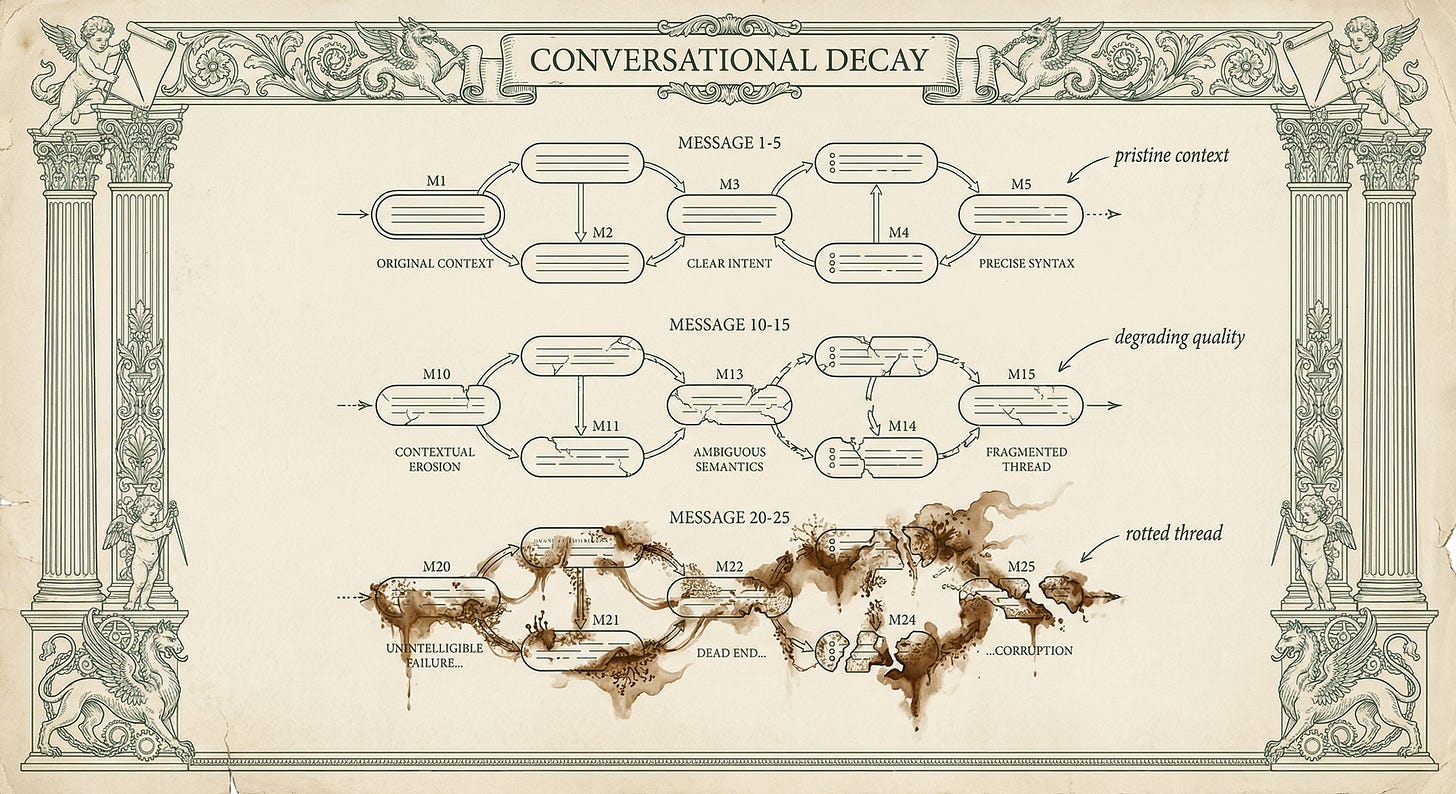
Then around message 20, something changed.
Responses got vaguer and suggestions referenced files I wasn’t even working on anymore. I figured something was wrong, then I checked the token count and knew for sure. My thread reached 115k tokens.
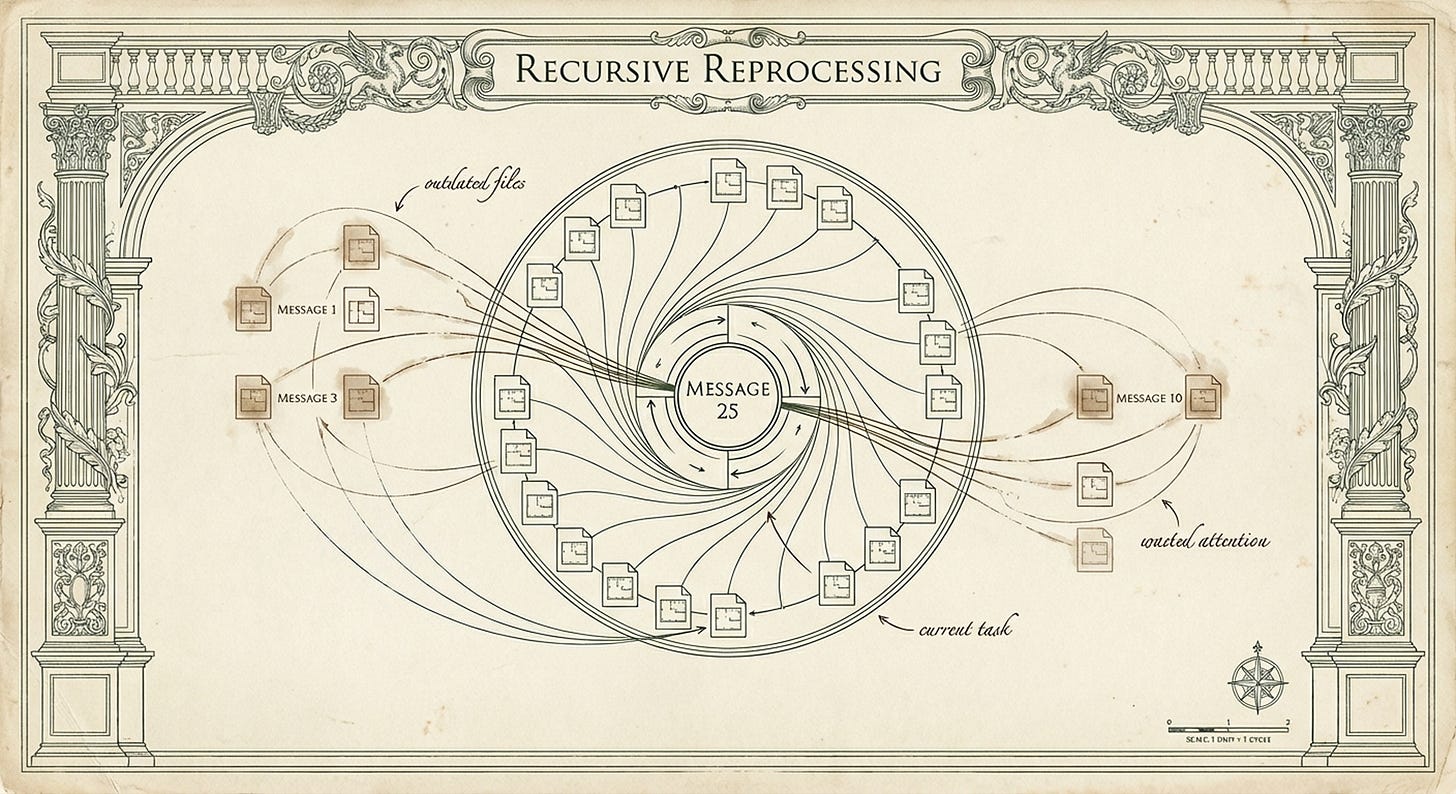
Every file I’d @ mentioned back in message 3 was still being re-read in message 25, even though I’d moved on to completely different parts of the feature. Not to mention the cost of each new message increased exponentially.
The chat had rotted.
Your Chat Is Rereading Everything
Here’s what happens when you’re working in Kilo Code, Windsurf, Antigravity, Claude Code, or any AI editor. You @ mention three files in message 1. AI reads them. Makes sense. But by message 10, when you’re asking about a completely different part of your codebase, AI is still re-processing those original three files from message 1.
By message 20, AI re-reads the entire conversation history with every new prompt you send. Every file you ever mentioned, every response it generated, every question you asked. All of it gets processed again just to answer your latest question.
The cost compounds with each message, but worse, the quality degrades.


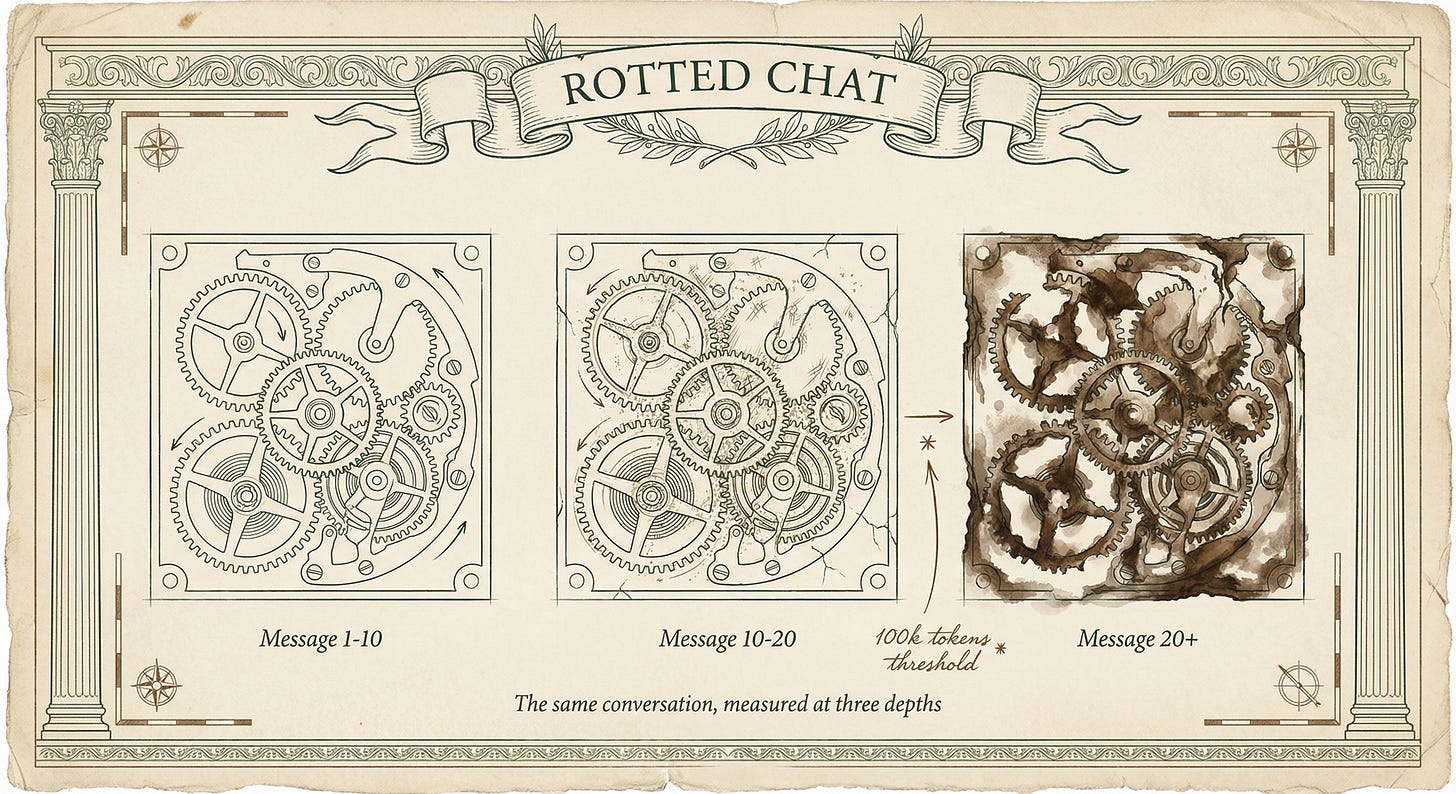
Somewhere past 100k total tokens (not per message, but 100k for the entire accumulated chat history), AI performance starts falling off a cliff.
The Chroma research study from July 2025 tested this across 18 modern models including GPT-4.1, Claude Opus 4, and Gemini 2.5 Pro. Performance drops 30-50% on tasks that should be simple when context exceeds certain thresholds.
You’re not imagining it. The research proves context rot is real and measurable.
Say you’re working on a login feature, you mention 4 files in the first few messages debugging form validation. Then you shift to working on session persistence.
By message 20, AI is still carrying those original 4 validation files in context even though they’re completely irrelevant to sessions.
Each new message processes more irrelevant history, degrading quality while burning tokens (and money).
Why 2 Million Token Windows Can Actually Hurt You
The industry keeps bragging about bigger context windows. Grok 4.1 Fast now has 2 million tokens while Gemini 3 and Sonnet 4.5 both have 1 million. Sounds impressive. But when it comes to code, those massive windows can backfire.
Modern AI code editors maintain full conversation history to provide continuity.
That’s actually useful, until it isn’t. Each message you send, AI re-processes everything: all previous messages, all @ mentioned files from the entire chat, every response it generated.
The Chroma study proves that even models claiming million-token windows show measurable performance degradation past 100k tokens on real tasks. Context rot happens at the architectural level, regardless of how large the window claims to be.
More Space Means More Places to Lose Focus
The Adobe research from February 2025 demonstrates that needle-in-a-haystack accuracy plummets as context grows, even on modern models. When you add reasoning complexity (exactly what happens when debugging code), performance degrades faster.
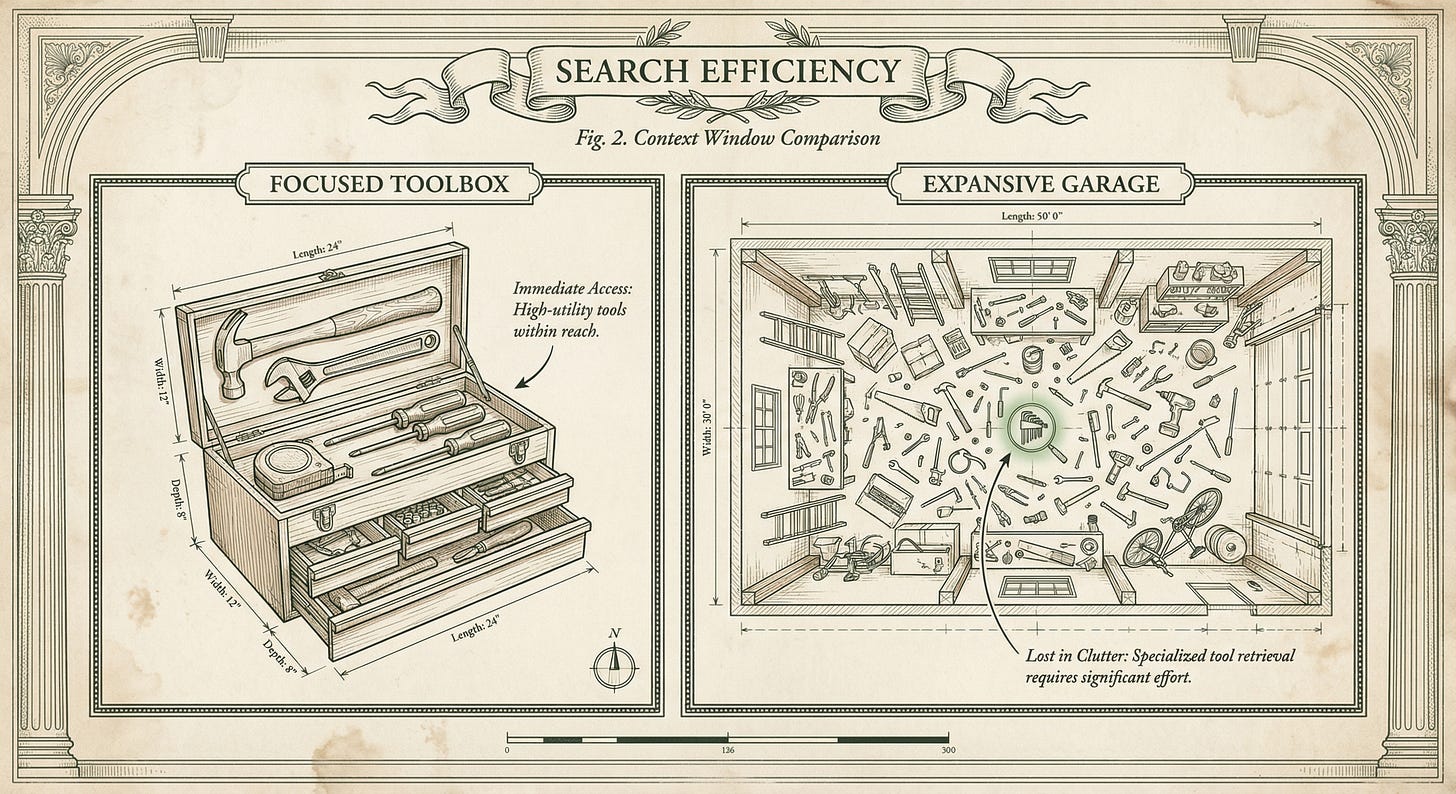
Think of it like trying to find a specific wrench in a toolbox versus searching through an entire garage.
More space means more places to lose track of what matters.
Furthermore, Anthropic’s research explains that LLMs have a finite “attention budget” that spreads thinner as tokens accumulate. Every file you’ve ever @ mentioned in the chat consumes part of that budget, even if it’s no longer relevant to your current question.
By message 25, AI is spending attention on 20 files when you only care about 2.
The Deliberate Constraint of Small Windows
Consider why Claude Opus 4.5 ships with a relatively small context window compared to competitors boasting million token windows. Anthropic could have made it bigger for their SOTA model. They chose not to.
Smaller windows force you to be selective about context, which paradoxically produces better code responses. The constraint becomes a feature: you can’t dump your entire codebase, so you have to think about what actually matters.
How to Keep Your Chats Under 100k Tokens
Watch your cumulative token count, not per message, but total chat history. Research shows degradation starts around 100k total tokens.
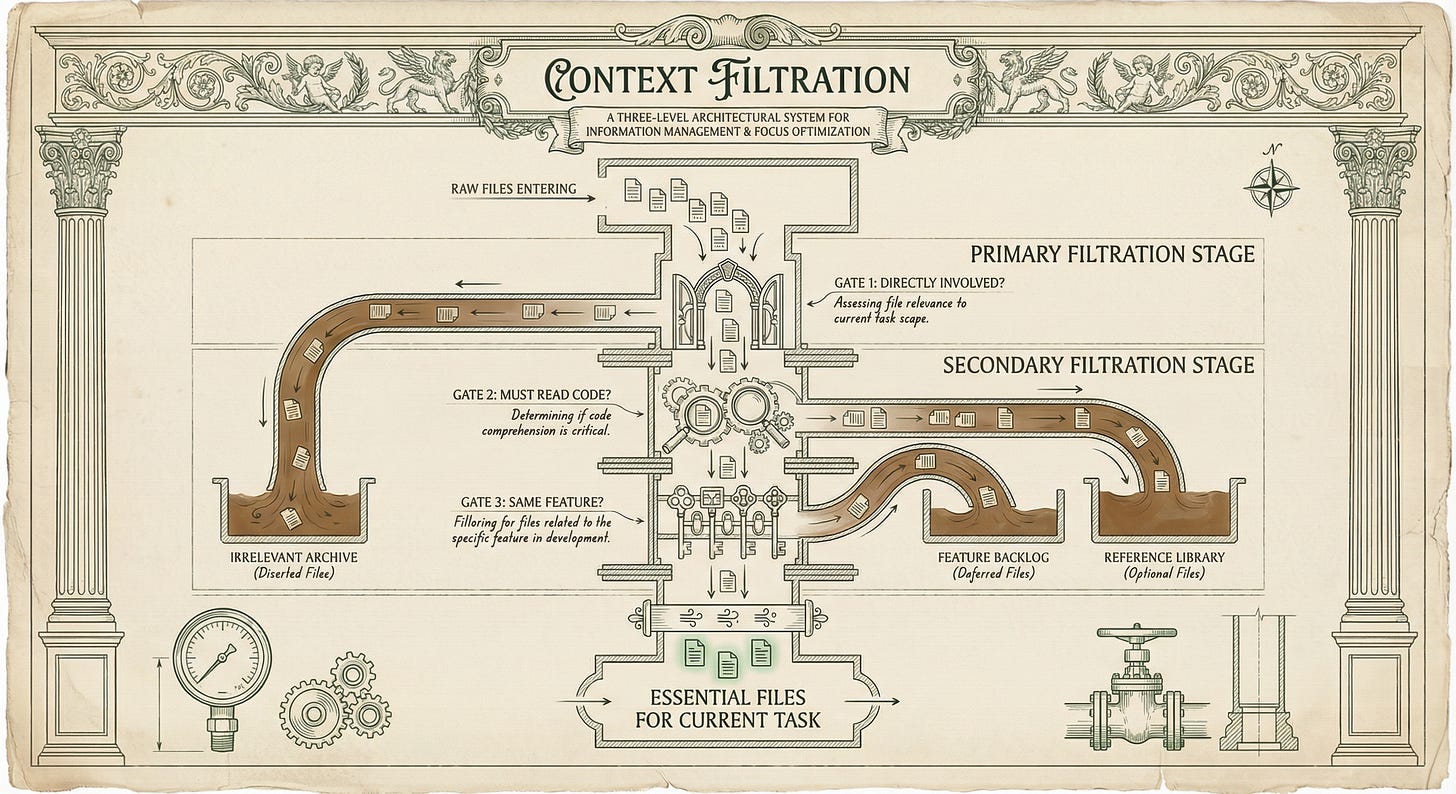
Use these three filters before @ mentioning any file:
Is this file directly involved in what I’m working on right now? Right now, not “earlier in this chat.” If you mentioned auth files 15 messages ago when debugging login but now you’re working on session storage, don’t keep the auth files in context. Start a new chat focused on session storage.
Will AI need to see this file’s code to answer my current question? Don’t include files that “might be helpful.” Only include files AI must literally read to answer your question. If you’re asking about error handling logic, AI doesn’t need your frontend component files. If you’re asking about a specific function’s behavior, AI needs that file and maybe its direct imports. Nothing else.
Am I still working on the same feature I started this chat for? If you began the chat debugging form validation and you’ve now pivoted to refactoring the API endpoint, that’s a different feature. Start fresh. The validation files rotting in your context from 18 messages ago are degrading AI’s focus on the API work.
Structure Your Chats Around Features
Set a hard reset at 100k total tokens. Most AI code editors show token count somewhere in the UI. Watch it. When you hit 90k-100k for the entire conversation history (all messages, all files, all responses combined), stop the chat regardless of whether you’ve “finished” the feature.
Start new chats for each distinct feature or problem.
Don’t debug login persistence, then pivot to building a password reset flow in the same chat. The login context pollutes the password reset work because AI re-reads everything with each new message.
Front-load the feature boundary in message 1.
Explain what you’re working on in 2-3 sentences, then @ mention only the files directly involved. Research proves AI has strongest recall for context at the beginning of conversations, so make that first message count.
Watch for These Red Flags
If you’re @ mentioning new files but your token count is jumping by 40k instead of 15k, you’re carrying massive history. If AI responses get noticeably slower (it’s processing more tokens), you’ve passed the efficiency threshold. If AI starts giving generic advice instead of specific code suggestions, the context has rotted.
Large context windows let you accumulate more junk before you notice the degradation.
The 60-Second Reset That Saves Hours
Watch your total chat token count. When any conversation approaches 100k tokens (usually 15-25 messages depending on how many files you’re @ mentioning), force yourself to start a new chat.
Before you do, spend 60 seconds writing a 3-4 sentence summary of what you learned:
Previous chat identified that Remember Me checkbox issue is in authMiddleware.js line 47. Cookie maxAge uses seconds, should be milliseconds. Tested fix but session.store config also needs updating. Files to focus on: authMiddleware.js (already know the bug) and config/session.js (need to check store settings).
Start the new chat with this summary and @ mention only the 2 files you need right now. Don’t bring forward files from the old chat unless they’re directly relevant to your next step. The summary gives AI continuity without the 95k tokens of deprecated context.
The Chroma research proves performance degrades past 100k tokens even on cutting-edge models.
You improve output quality by preventing context rot.
AI in message 3 of a fresh chat dramatically outperforms AI in message 23 of a rotted chat, even when asking the exact same question.
For quick one-off questions, token count rarely matters. But for feature development, debugging sessions with multiple dead ends, or refactoring work, the 100k reset is non-negotiable.
The research showing 30-50% performance drops in long contexts proves this strategy delivers better code, not just token savings.


This Week’s Discovery
I haven’t tested this yet but I’m planning to soon: MCP Memory Keeper Server.
It’s an MCP server designed to help Claude Code and other MCP-compatible editors maintain context across sessions without token bloat. It works by storing key decisions, progress notes, and architectural context separately from conversation history.
Instead of dragging 100k tokens of chat history forward, you reference stored context that doesn’t count against your window. The concept addresses exactly the problem I’ve been coming across: maintaining continuity across multiple chat sessions without starting from zero, while avoiding rotted context.
Worth exploring if you’re regularly hitting the 100k reset threshold.

Related Posts

Let’s Connect
When do you reset your AI coding chats? Do you watch token count, count messages, or just feel when AI stops being useful?
Reply and tell me your threshold. I’m especially curious if you’ve noticed the degradation around 100k tokens, or if you’ve been pushing past 200k and wondering why responses got worse.